Setting up an IPv6 Tunnel on OpenWrt with Hurricane Electric (6in4)
If your ISP is still lagging behind on IPv6 support, you don't have to wait. Using Hurricane Electric’s (HE.net) free tunnel broker service, you can get a globally routable IPv6 prefix for your home network in minutes.
1. Registering the Tunnel
Head over to tunnelbroker.net and create a "Regular Tunnel".
- IPv4 Endpoint: Enter your router's current WAN IP (it must be pingable).
- Tunnel Server: Choose the location with the lowest latency.
In my experience, the Berlin (DE) and Johannesburg (ZA) endpoints have consistently provided the best stability and lowest latency.
Keep these handy: Server IPv4 Address, Client IPv6 Address, and your Routed /64.
2. Prepare OpenWrt & Basic Setup
You need the 6in4 protocol support. SSH into your router and run:
opkg update
opkg install 6in4
In LuCI (Network → Interfaces), click Add new interface:
- Name:
henet - Protocol:
IPv6-in-IPv4 (6in4)
3. Interface Configuration & Dynamic IP
This is where the magic happens. Fill in the following:
- Remote IPv4 address: The HE Server IPv4.
- Local IPv6 address: Your Client IPv6 (e.g.,
...::2/64). - IPv6 routed prefix: Your Routed /64 prefix.
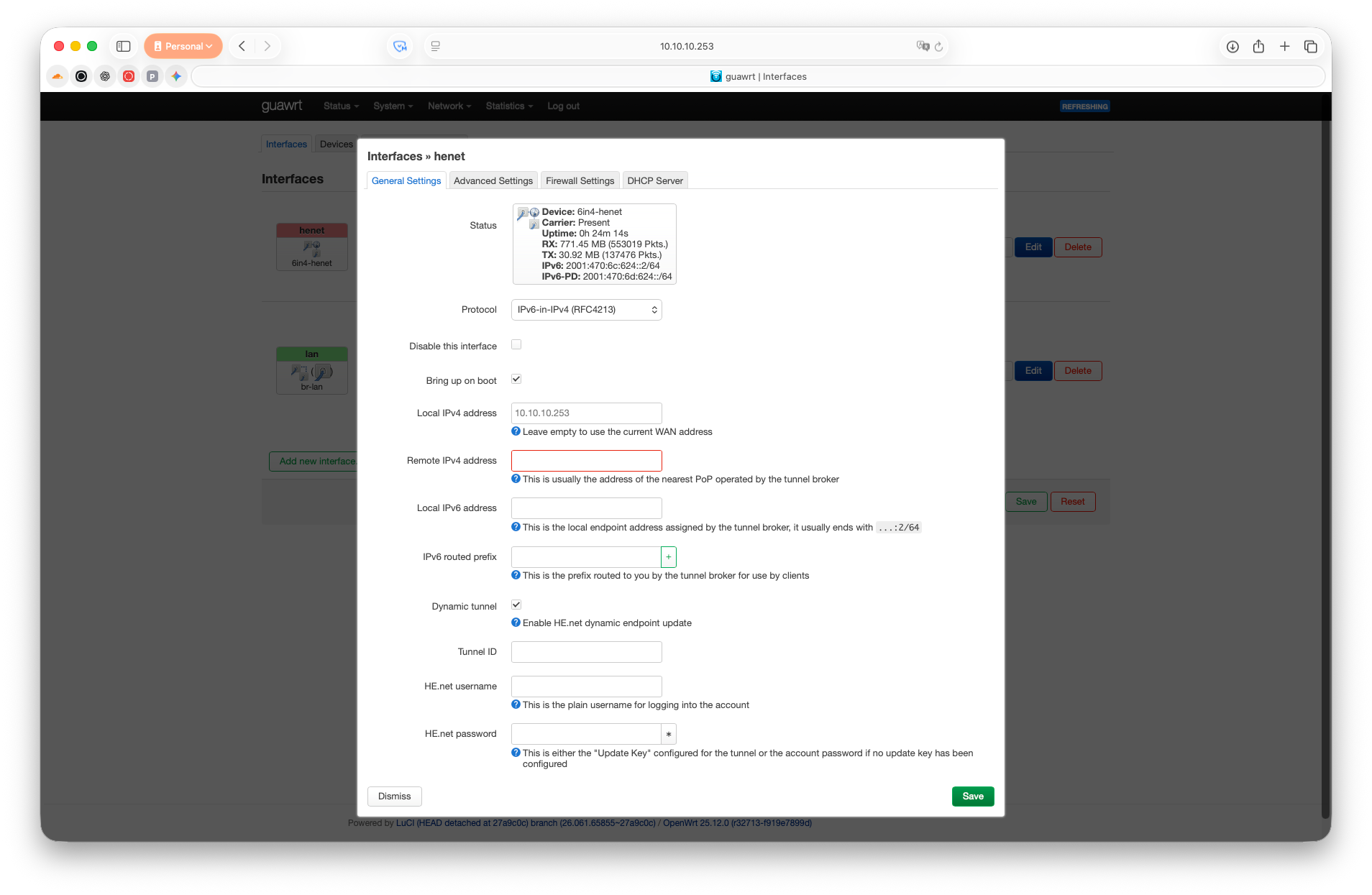
For Dynamic IP users:
You don't need extra packages. Just check Dynamic tunnel option and fill in following:
- Tunnel ID: Enter your Tunnel ID (from the HE main page).
- HE.net username: Your HE.net Username.
- HE.net password: Your Update Key (found in HE.net under the Advanced tab, not your login password).
4. Firewall & LAN Distribution
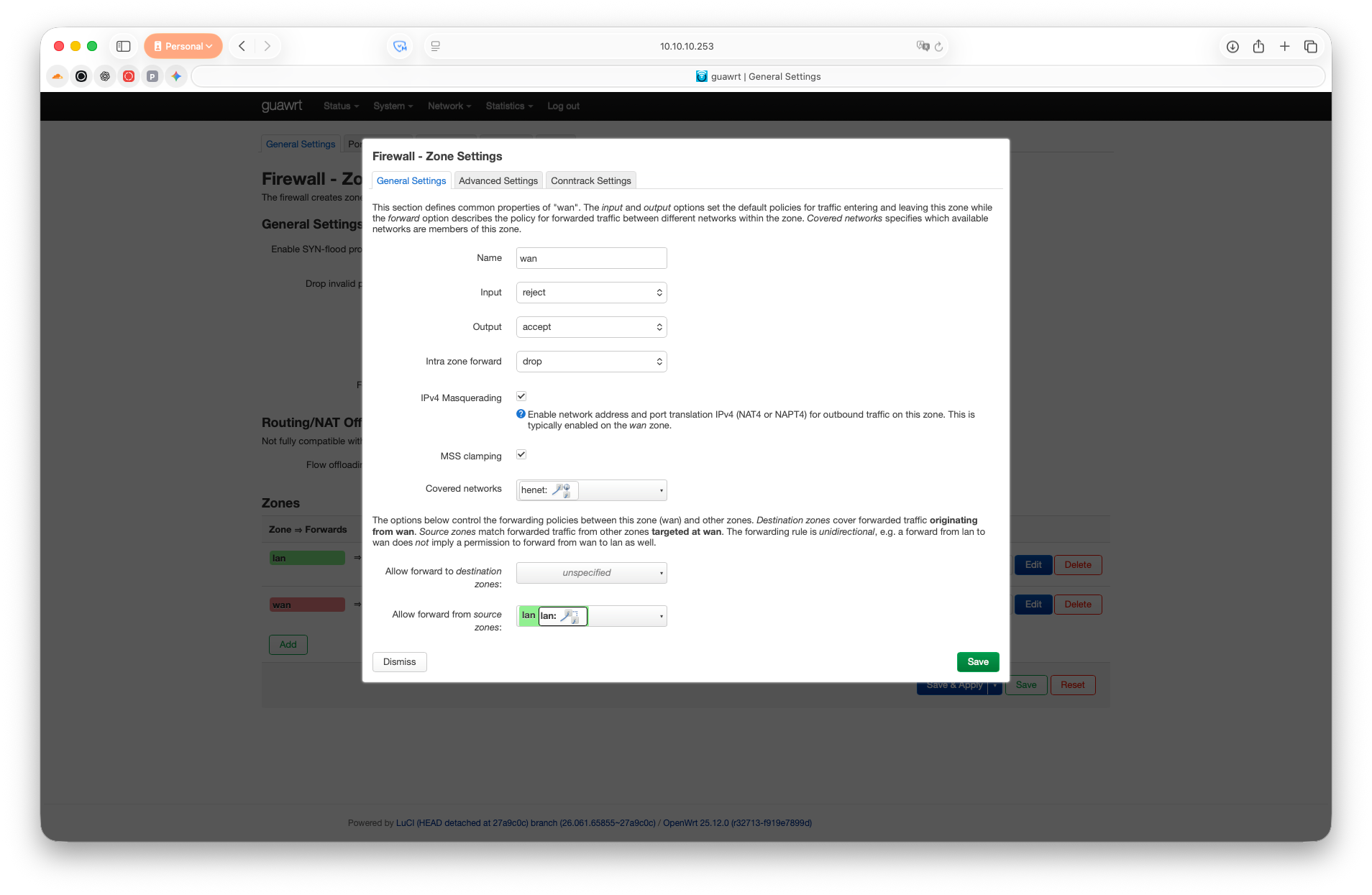
Firewall: Assign the henet interface to the wan zone.
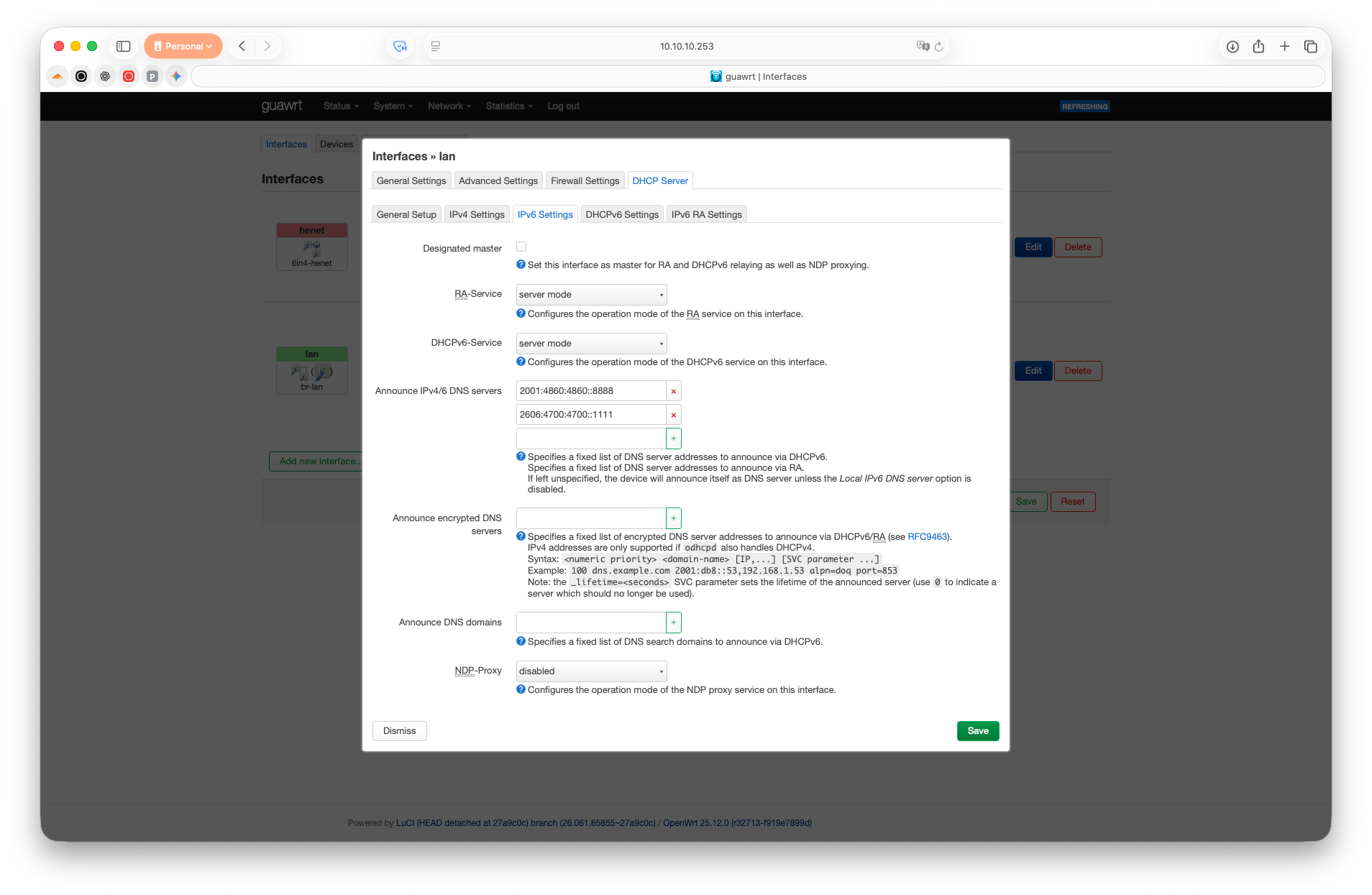
LAN Setup: Under Interfaces → LAN → DHCP Server → IPv6 Settings set RA-Service and DHCPv6-Service to server mode. Ensure IPv6 assignment length is 64.
Press Save & Apply.
5. Troubleshooting
Ping: Ensure your WAN firewall allows ICMP. HE.net must be able to ping your IPv4 to keep the tunnel active.
MTU: If some sites fail to load, set the MTU on the henet interface to 1480 to account for encapsulation overhead.
6. A Note on Security (Don't Panic!)
One common concern with IPv6 is that every device in your network suddenly gets a globally reachable "public" address. However, by default OpenWrt automatically blocks all incoming connections from the internet unless they were initiated by your devices first. Your IoT bulbs, printers, and PCs remain safely hidden behind the wan zone shield. Unless you explicitly create a rule in Traffic Rules section to allow incoming traffic, your network stays just as private as it was with IPv4 NAT. https://kingmaker3-de.com/bonus/